 Tennis Buddee
Watch every swing
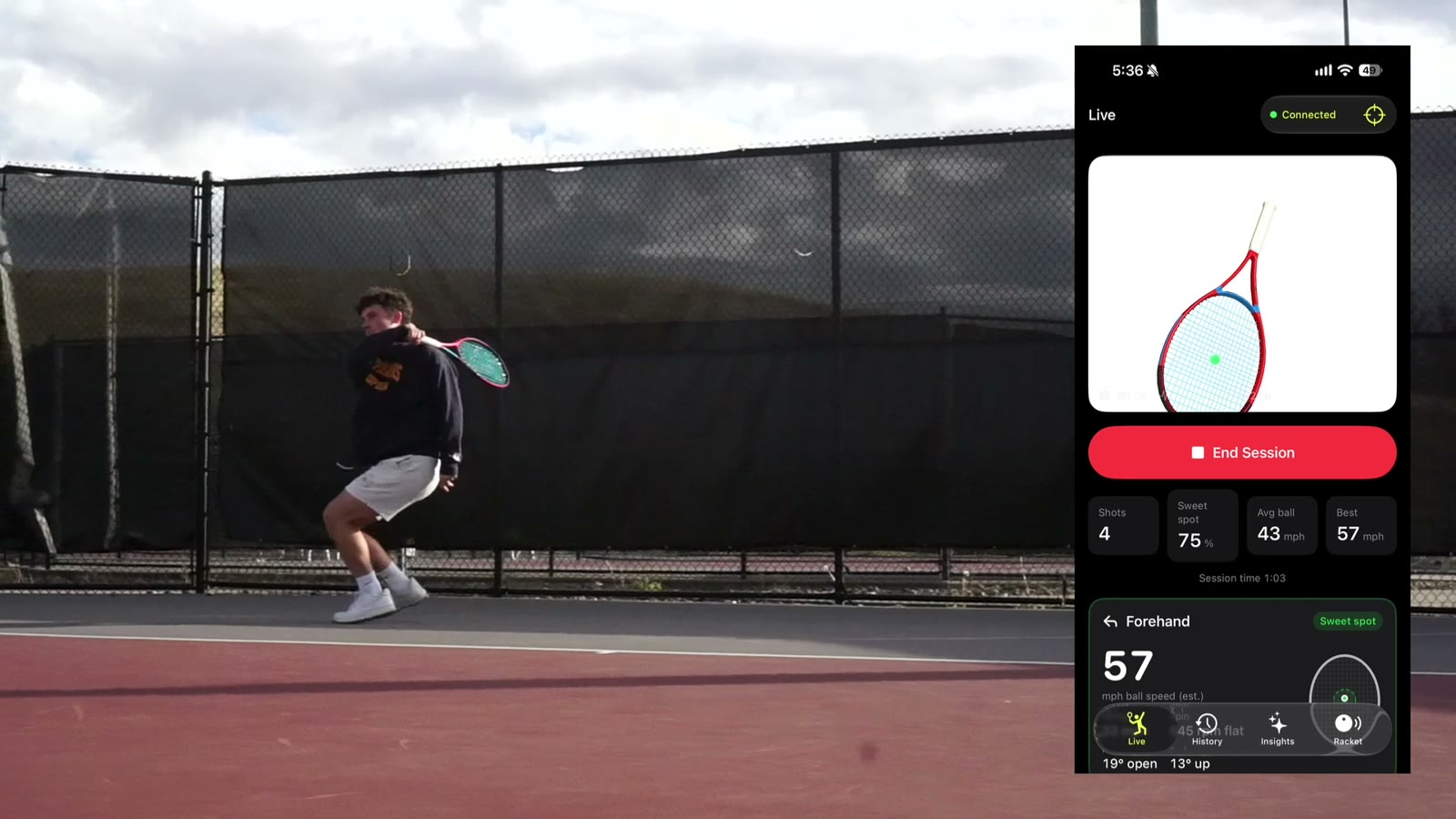
A 3D racket, a live shot feed and optional synchronized source video. Switch matches, change replay speed or jump to a hit.
A smart module inside your racket handle that hears every hit, follows every swing and predicts what a change could do.
Explore the app in your browser. No racket or download needed.
Swing speed, estimated ball speed and spin, face angle, swing path, shot type and contact point.
An audio model on the racket listens to each hit and estimates how far off center it was.
Muse Spark uses your shots to predict the effect of a swing change in 3D, build a practice plan and surface moments to review.
The sensors sit inside the handle, so the racket looks and plays like yours. Your iPhone, Mac, Apple Watch and Meta Ray-Ban Display keep your shots and score close. Double-tap the handle to score a point, then explore your session in Insights.
New · Browser emulator
Explore the app with pro-match replays. Follow the racket in 3D, keep score, dig into Insights and try a swing change — right in your browser.
A 3D racket, a live shot feed and optional synchronized source video. Switch matches, change replay speed or jump to a hit.
Adjust speed, face angle, swing path or contact point. Compare the predicted result, save a change and log a follow-up against the replay.
Live, Score, Muse, Insights and Settings. Try tennis scoring, stroke breakdowns, practice plans, Scout yourself and the review queue.
The emulator is a replay-based demo. Shot timing and stroke types come from dataset labels or model predictions; speeds, spin, angles, contact points and 3D swings are estimates. Its Muse features use an offline demo engine. The native app connects to Muse Spark.
Where we’re headed
Working prototype, iPhone and Apple Watch TestFlight beta, Mac app and browser emulator. Sweet-spot AI remains in beta. Try the pro-match emulator.
Train on real court data, validate against high-speed video, sealed custom module.
A retail module under $100, club dashboards, pickleball and padel.